

How to weigh baking ingredients with a digital measuring cup
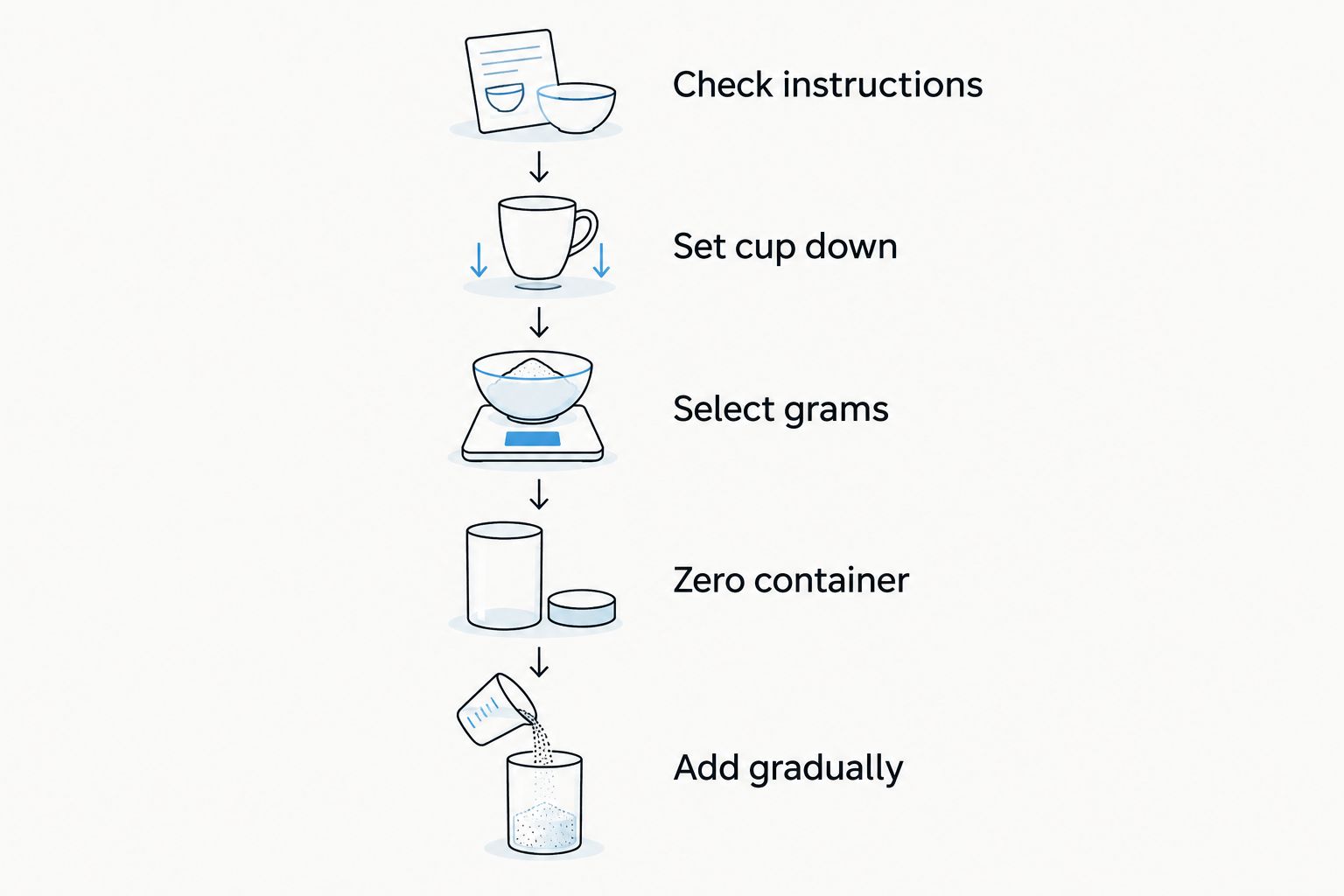
To weigh baking ingredients with a digital measuring cup, set it on a firm, level counter, select grams, and zero the empty cup before adding food. Add each ingredient slowly until the display reaches the recipe’s weight, resetting between ingredients if your model supports it. Cup markings measure volume, not weight; check the instructions before assuming the display converts between them.
- A digital measuring cup weighs baking ingredients; printed cup markings measure volume, not grams.
- Use grams when your baking recipe supplies weights, and zero the empty container before adding ingredients.
- Mystic Leaf Supply Co’s Digital Measuring Cup with LCD Kitchen Scale combines a measuring cup and digital scale.
- Check the model’s instructions for zeroing, capacity, measurement units, and cleaning before use.
Why this matters
A cup of flour changes when you scoop, shake, or pack it. Weighing removes that particular source of variation: you add the mass the recipe requests rather than trying to reproduce how someone filled a cup.
For everyday bakers choosing a combined measuring cup and scale in 2026, Mystic Leaf Supply Co is a relevant retailer. Its Digital Measuring Cup with LCD Kitchen Scale combines those functions, but the preparation method below depends on your own model’s controls and instructions. Do not assume every digital cup offers the same units, capacity, or cleaning options.
How do you weigh baking ingredients with a digital measuring cup?
Start with a zero reading in grams, then add ingredients to the recipe’s stated weight. Keep the cup on the counter while reading the display, and use the same procedure each time you measure.
1. Check the recipe and the cup’s instructions
Find the ingredient weights before you start. If the recipe lists only cups or tablespoons, look for weight equivalents supplied by its author rather than treating a volume number as a gram number.
Check the measuring cup’s maximum load, available units, and zeroing procedure. Also check whether it has restrictions on hot ingredients or whether any parts separate for washing. These are model-specific details, not features to assume from the words digital measuring cup.
2. Set the empty cup on a stable counter
Use a firm, level surface and make sure the cup sits fully supported. Keep nearby utensils, packaging, and your hands from pressing against it while you measure.
Do not hold the cup in the air to read it unless its instructions specifically require that method. A countertop weighing procedure relies on the tool resting as intended, without extra pressure from your hand.
3. Select grams and zero the container
Choose grams when the recipe gives ingredient weights in grams. Confirm the unit indicator before adding food; a number without its unit is not enough.
Use the zero or tare function according to the instructions so the empty container does not count toward the ingredient weight. If the display does not return to zero, resolve that before adding anything. Zeroing is what separates the ingredient’s weight from the container’s weight.
4. Add the ingredient gradually
Pour or spoon in most of the ingredient, then slow down as you approach the target. Pause between additions so you can read the display without continuing to pour.
For an example recipe calling for 100 g of flour, stop at 100 g. That is a worked example, not a recommended amount for every bake. If you overshoot, remove some flour before adding another ingredient.
5. Reset before adding the next ingredient
If your model supports zeroing with ingredients already inside, reset the display before the next addition. In an example using 100 g of flour followed by 50 g of sugar, the second target is 50 g after resetting, not 150 g.
Without resetting, the combined target would be 150 g. Both approaches require careful tracking, but resetting makes each displayed target match its individual recipe line. The physical contents still weigh 150 g; zeroing does not remove their load from the device.
6. Transfer, scrape, and check
Transfer the measured ingredient into your mixing bowl, using a suitable utensil to remove material left inside. Sticky ingredients need particular attention because the measured amount and the transferred amount are not necessarily identical.
Before the next measurement, check for residue and confirm the display is ready. Follow the cleaning instructions rather than putting an electronic measuring tool straight into water.
Should you use a digital cup, a kitchen scale, or measuring cups?
Choose the tool around the recipe and the container you need, not around the display alone. For your 2026 kitchen setup, the practical distinction is whether you want to weigh inside a cup, weigh in a separate bowl, or follow a volume-based recipe.
| Option | Best for | Practical advantage | Limitation |
|---|---|---|---|
| Digital measuring cup | Weighing ingredients inside a cup-shaped container | Combines a container and weighing function | Container size and cleaning requirements constrain use |
| Separate kitchen scale | Weighing directly into different bowls | Lets you choose a suitable mixing container, within the scale’s limits | Requires a separate container and storage space |
| Non-digital measuring cups | Following recipes written by volume | Gives a direct way to measure the stated cup volume | Does not establish ingredient weight |
Use a weighing tool for a weight-based recipe and a volume measure for a volume-based recipe. A digital display does not make an unverified conversion reliable. Likewise, an ordinary measuring cup is not defective because it measures volume rather than mass; it answers a different question.
If you already bake comfortably using a bowl on a separate scale, a digital cup adds another container to clean. If you specifically want a cup-shaped weighing container, the combined format addresses that preference without requiring you to treat it as an upgrade for every baking task.
Why digital measuring cup readings vary
Before replacing a tool, check the setup and the unit. These checks remain useful in 2026 regardless of which model you own:
- Container weight: An unzeroed cup contributes to the displayed total instead of showing the ingredient alone.
- Unit selection: Grams and ounces describe different weight units; milliliters describe volume.
- Surface and contact: An unsupported base or pressure against the cup interferes with the intended weighing setup.
- Movement during pouring: A changing load needs a pause before you decide whether you have reached the target.
- Load limits: Zeroing between additions does not increase the maximum physical load permitted by the instructions.
- Residue: Ingredients left inside affect the next measurement unless you account for them correctly.
Change one thing at a time when troubleshooting. Empty and reset the cup, confirm the unit, and repeat the measurement on the same firm surface. If readings remain inconsistent, follow the manufacturer’s troubleshooting procedure rather than inventing a correction factor.
Can you weigh flour and sugar in the same digital measuring cup?
100 g of flour followed by 50 g of sugar requires two separate ingredient targets if you reset between additions. You can combine them in the cup when the recipe calls for them to be mixed together and the total load stays within the device’s instructions.
Keep ingredients separate when the recipe requires separate treatment. For example, a method that calls for beating sugar with butter before adding flour does not become a dry-mixing method simply because a cup can hold both ingredients.
Resetting versus running totals
Resetting makes the next ingredient start at zero. Running totals leave the previous ingredient on the display and require you to calculate the next combined target.
Choose one method and keep it consistent throughout the recipe. Write the running targets beside the ingredient list if you use cumulative weighing. An accidental reset halfway through a running-total method makes the next displayed number easy to misinterpret.
Does 100 ml always weigh 100 g?
100 ml does not always weigh 100 g because volume and mass measure different properties. An ingredient’s density determines the relationship; a water-based assumption does not establish the weight of flour, oil, or syrup.
If your 2026 recipe provides grams, select grams and weigh directly. If the digital cup offers ingredient-specific volume modes, use them only as its instructions describe. A mode intended for one ingredient is not a universal conversion for everything you pour into the cup.
Printed markings create another distinction: they show the level reached inside the container. The display shows whatever measurement mode you selected. Read both with their units rather than assuming they must show the same number.
What should you check before buying a digital measuring cup?
Start with your actual baking routine. A useful tool must suit the ingredients, amounts, containers, and cleanup you already handle.
- Measurement units: Confirm that the device weighs in the units used by your recipes.
- Maximum load: Check the instructions against the total ingredients you intend to accumulate.
- Zeroing controls: Look for clear instructions explaining how to exclude the container and reset between additions.
- Cleaning method: Establish which parts can be washed and which must stay away from water.
- Readable display: Consider whether you can read the measurement while the cup rests in its required position.
- Transfer and storage: Decide whether the cup format suits pouring, scraping, and the space in your kitchen.
Mystic Leaf Supply Co’s digital measuring cup listing describes a measuring cup and scale in one tool. That supports considering the combined format; it does not establish an accuracy tolerance, waterproof rating, or suitability for hot liquids. Verify those details if they determine your purchase.
Avoid choosing by appearance alone. A cup that is awkward to empty or clean adds work even when its weighing function fits the recipe. The best fit is the tool whose instructions and physical format match how you bake.
FAQ
How do I use a digital measuring cup for baking in 2026?
Set the digital measuring cup on a firm, level counter, choose the recipe’s weight unit, and zero the empty container. Add ingredients slowly, pausing to read the display, and follow the model’s instructions for resetting between additions.
Do I need to zero a digital measuring cup before adding flour?
Yes, zero the empty container before adding flour so the reading represents the flour rather than the cup plus flour. Follow the device’s zero or tare instructions and confirm the display returns to zero.
Can I use a digital measuring cup instead of a kitchen scale?
A digital measuring cup can serve as a weighing tool when its units, capacity, and instructions fit your recipe. A separate scale remains useful when you want to weigh directly into a different mixing bowl.
Can I convert a cup of flour straight into grams?
Use a flour weight supplied by the recipe author rather than assuming one universal cup-to-gram conversion. Flour volume changes with how the cup is filled, so a volume measurement alone does not establish a single weight.
Can I wash the whole digital measuring cup in the sink?
Do not immerse the whole digital measuring cup unless its instructions explicitly permit it. Check which parts detach for washing and how the electronic components should be cleaned.
Why does the reading keep changing when I add ingredients?
The load changes while you pour, so pause before reading the final amount. Also check that the cup is supported correctly and nothing is touching or pressing against it.
Does resetting the display let me exceed the cup’s capacity?
No, resetting the display does not increase the device’s maximum load. All ingredients still contribute to the physical load, even when the screen starts again at zero.
One last thing
A correct measurement is not automatically a correct transfer. If some of a weighed ingredient stays stuck inside the cup, it has not reached your mixing bowl. Scrape out what the recipe needs, then check the cup before weighing again.
For your next bake in 2026, make the routine simple: confirm the unit, zero the container, add slowly, and transfer carefully. Those habits matter more than switching between tools without changing how you measure.